
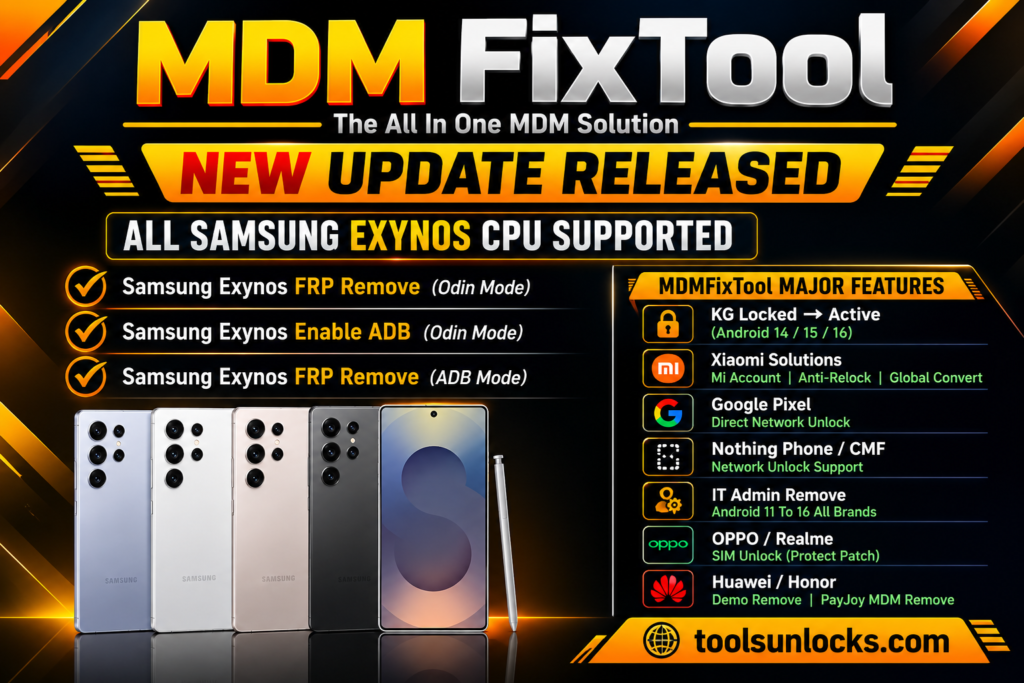
Facing MDM lock, KG (Knox Guard), FRP, or IT Admin restrictions on Android devices can limit access and disrupt normal use. MDM Fix Tool is a Windows-based utility that offers supported unlock, firmware flashing, factory reset, and other mobile repair features, including Xiaomi free auth models without token credit or a dongle.
What Is MDM Fix Tool?
MDM Fix Tool is a mobile servicing program that helps technicians manage device locks and perform selected Android maintenance tasks on a Windows PC. It supports compatible smartphones and tablets, with features and device support depending on the installed version and activation status.
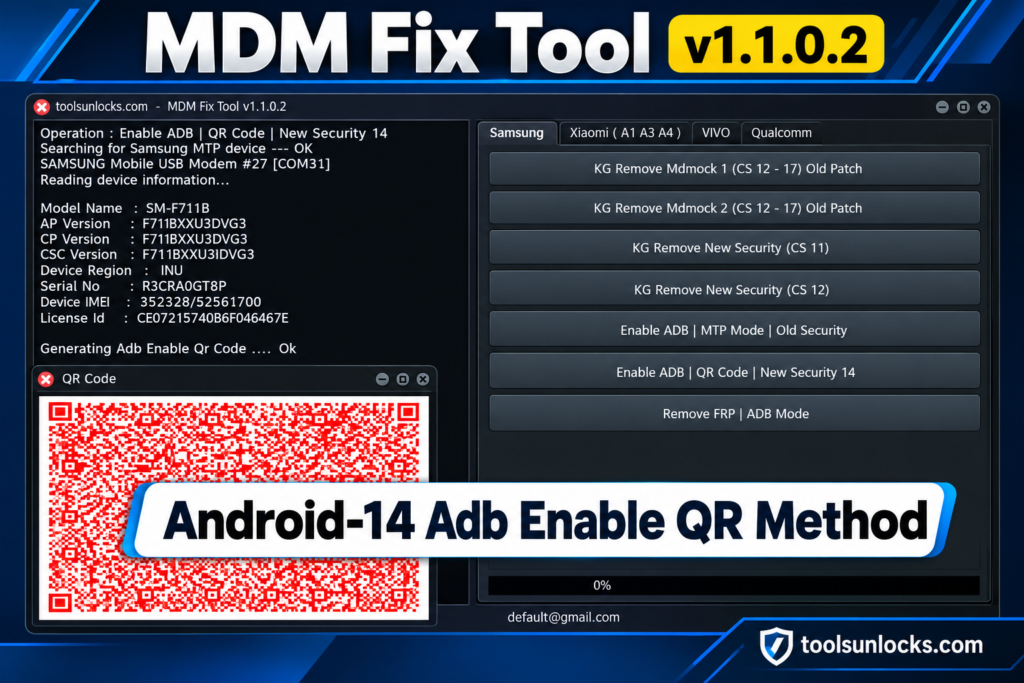
Features of MDM Fix Tool v1.1.0.2
MDM Lock Removal
This feature helps technicians remove MDM restrictions from supported devices. It can restore access when device management policies block normal use.
KG Lock Support
MDM Fix Tool includes options for handling Knox Guard restrictions on compatible devices. Available functions depend on the device model and lock status.
FRP Bypass
The tool provides FRP-related functions for supported Android phones. Use them only when you’re authorized to access or repair the device.
IT Admin Lock Removal
Some devices have administrator restrictions that limit settings and certain functions. The tool offers options for handling supported IT Admin locks.
Xiaomi Free Auth
The tool includes free-auth options for selected Xiaomi models. Supported operations may work without token credits or a separate authentication dongle.
Firmware Flashing
Technicians can use the flashing feature to install compatible firmware on supported devices. Choosing the correct firmware is important to avoid software issues.
Factory Reset
The tool offers factory reset functions for compatible devices. A reset may erase personal data, so back up important files beforehand.
Format Data
This option helps technicians format device data during supported repair procedures. Formatting can permanently delete stored information.
Mi Cloud Lock Support
MDM Fix Tool lists Mi Cloud-related functions for compatible Xiaomi devices. Availability varies by model, software version, and tool activation.
Device Detection
The software uses computer connectivity and compatible drivers to identify connected devices. Correct drivers and a working USB connection help avoid detection errors.
MDM Fix Tool v1.1.0.2 Download Information
| Information | Details |
| Tool Name | MDM Fix Tool |
| Developer | Ufixer |
| Operating System | Windows |
| Tool Category | Android Unlock & Repair |
| Supported Devices | Selected Android smartphones and tablets |
| Xiaomi Free Auth | Available for supported models |
| Activation | Paid activation may be required |
| Latest Version | Check the official source |
| File Size | Not verified |
| Price | Depends on activation plan |
| Official Download | Verify the developer’s source before downloading |
Read Also: UMT Tool v13.6 Free Download Setup 100% Working 2027
How to Download MDM Fix Tool v1.1.0.2?
- Visit the official Ufixer website or a trusted source that provides the MDM Fix Tool setup.
- Find the latest available version and check its compatibility with your Windows PC.
- Click the download link and wait for the setup file to finish downloading.
- If the tool requires activation, check the available license or activation requirements before proceeding.
- Scan the downloaded file with antivirus software before opening it.
- Install the tool by following the on-screen instructions.
- Open MDM Fix Tool and install any required USB drivers for your supported Android device.
- Connect your device and check whether the software detects it correctly.
Pros and Cons of MDM Fix Tool v1.1.0.2
| Pros | Cons |
| Supports MDM lock handling on compatible devices | Does not support every Android device or model |
| Includes KG (Knox Guard) and FRP-related functions | Some functions may not work on every Android version |
| Offers IT Admin lock handling for supported devices | Paid activation may be required for certain features |
| Provides firmware flashing and factory reset options | Incorrect firmware can cause software problems |
| Includes free-auth options for selected Xiaomi models | Xiaomi free-auth support may be limited to specific models |
| Combines multiple mobile repair functions in one tool | Requires a Windows PC and compatible USB drivers |
| Offers device detection to assist repair procedures | Connection or driver issues may prevent device detection |
| Can help technicians troubleshoot certain software issues | Some operations may erase personal data |
Conclusion
MDM Fix Tool is a useful option for mobile repair technicians who need Windows-based solutions for supported Android devices. With features such as MDM and KG lock handling, FRP support, firmware flashing, and Xiaomi free auth, it can simplify several repair tasks. Before downloading, check device compatibility, activation requirements, and the reliability of the source to ensure a safe and smooth experience.
Frequently Asked Questions
Is MDM Fix Tool compatible with all Android brands?
No, compatibility depends on the device model, chipset, Android version, and available tool support. Check the supported model list before using any repair function.
Why is MDM Fix Tool not detecting my phone?
This can happen because of missing USB drivers, a faulty cable, an incorrect USB mode, or an unsupported device. Try another cable or USB port and reinstall the required drivers.
Does MDM Fix Tool require an internet connection?
An internet connection may be needed for activation, authentication, or certain online services. Requirements can vary depending on the version and the feature you want to use.
Is MDM Fix Tool safe to install on Windows?
Its safety depends on the source of the setup file and whether the software has been modified. Download it from a trusted source and scan the file with reputable security software before installation.
Can MDM Fix Tool repair a phone that is stuck in a boot loop?
It may help in some cases through supported firmware flashing or software repair functions. However, success depends on the device model and the cause of the boot loop, and flashing the wrong firmware can make the problem worse.
Pingback: UMT Tool v13.6 Free Download Setup 100% Working 2027